Saree model photos with AI, from one flat photo
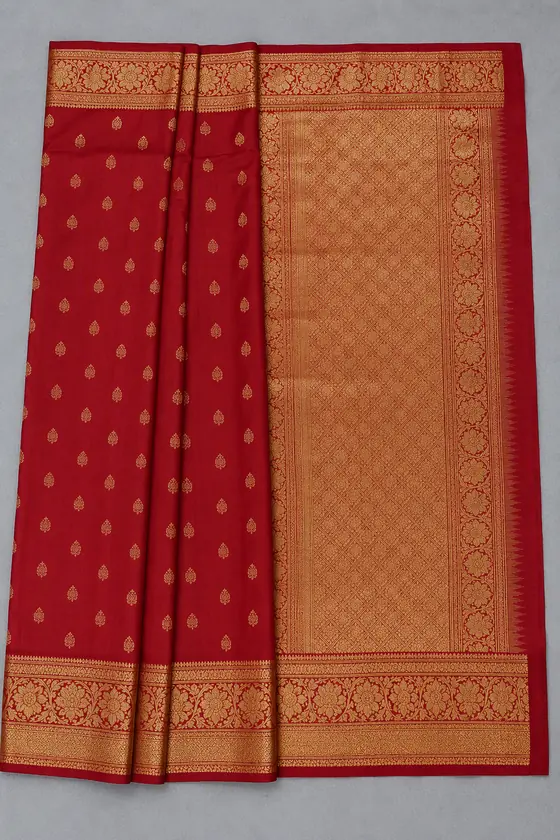
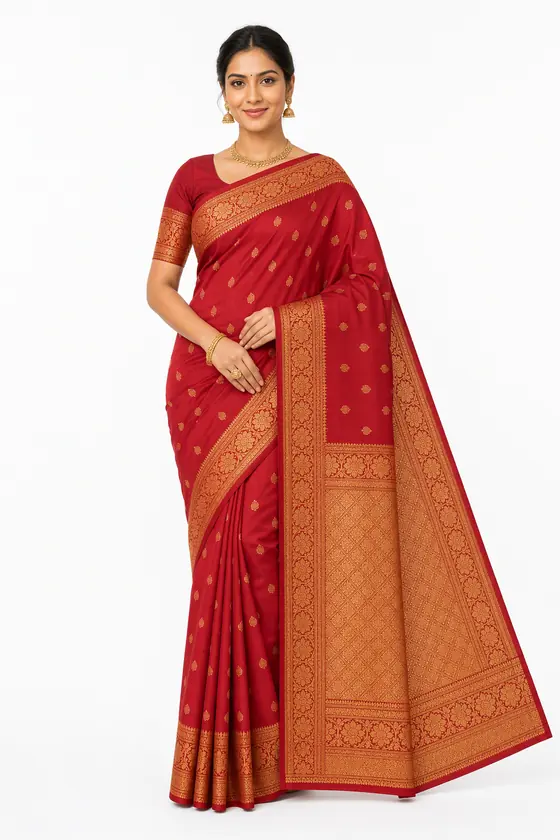
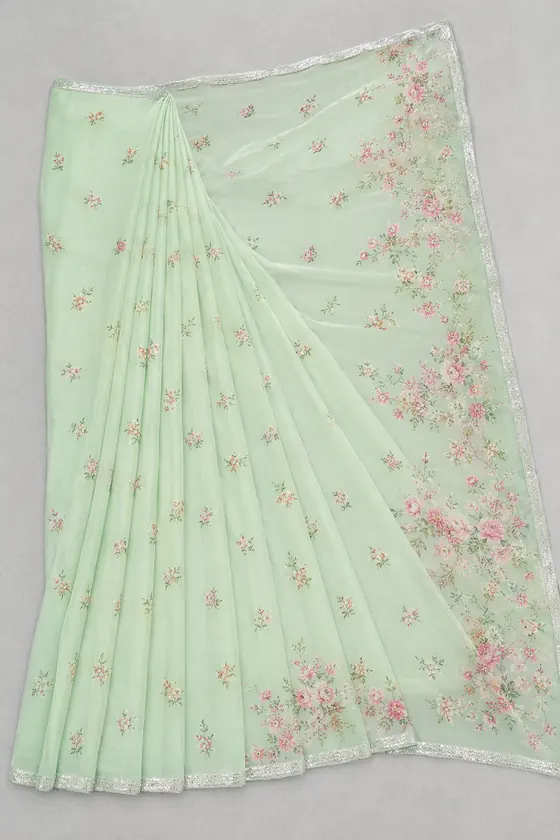
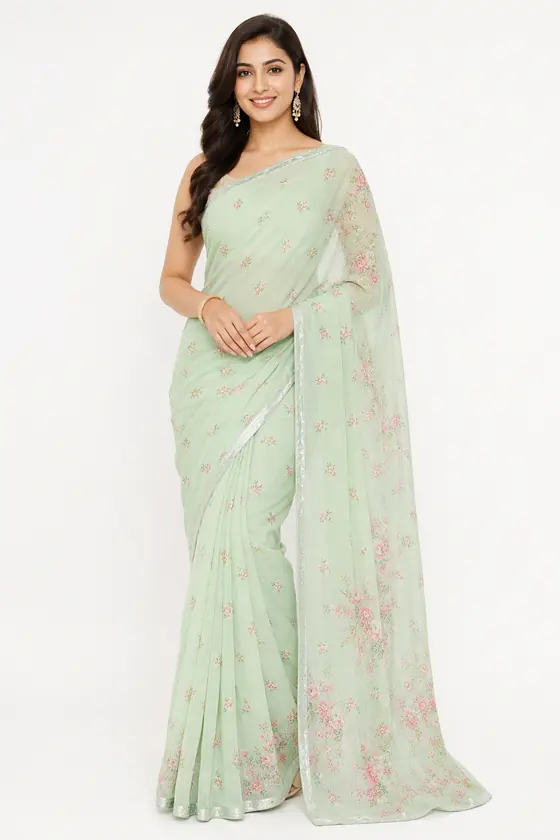
Vastra Studio shows your saree draped on an AI-generated model from one flat photo, in three looks: white studio, outdoor and editorial. A saree checklist tells the AI to keep the border, pallu, body colour and blouse. Each photo takes about 30 to 40 seconds, and your first 2 are free.
Why sarees are hard to sell in flat photos
A saree on a table hides the drape, how the pallu falls and how the border sits on the body. Buyers want to see it worn. A model photo shows that without a draping artist, a model and a shoot day for every design.
How it works
- Upload. Lay the saree flat with the border and pallu visible and the whole piece in frame. Our flat-lay photo guide has a saree checklist.
- Choose. Women, Saree, a model and the looks you want.
- Create and download. Check each photo, then download the ones that match your saree.
What the AI is told to keep
The saree checklist covers the border, pallu, body colour and blouse. The AI is told not to cover the blouse neckline with hair, a dupatta or jewellery.
Check the weave and zari. Fine zari, thread work and very small prints are the hardest details for any AI model photo. Compare the border and zari closely against your saree, and keep a real close-up photo of the weave in the listing so the buyer can see the real thing.
Price
Credit packs start at Rs 99 for 10 photos (1 credit per photo), with no monthly plan. Sign in and your first 2 photos are free.
Questions
- Can AI show my saree on a model?
- Yes. Upload a flat photo with the border and pallu visible, and Vastra Studio shows the saree draped on an AI-generated model in the look you pick.
- Will the border, pallu and blouse stay the same?
- The saree checklist tells the AI to keep the border, pallu, body colour and blouse. It usually does, but check each photo against your saree.
- Does it keep zari and fine weave patterns?
- Not perfectly. Fine zari and very small prints are the hardest details and may be simplified. Add a real close-up photo of the weave to your listing.
- How long does one saree photo take?
- About 30 to 40 seconds per photo.
- How much does it cost?
- One credit per photo. Credit packs start at Rs 99 for 10 photos (1 credit per photo), with no monthly plan.
- Is there a free trial?
- Yes. Sign in and your first 2 photos are free.
- What if a photo fails?
- Credits for any photo that is not delivered are refunded to your balance automatically.