From the makers of MeeShip
Model photos for your sarees, kurtis and lehengas. No photoshoot.
Upload one flat-lay photo of a garment. Get it back worn by a model, in a white studio, outdoors or in an editorial look, ready for your Meesho, Myntra or Amazon listing.
Free credits when you sign in. No monthly subscription.
Make your model photos
1What are you selling?
2Upload your garment photo
- Flat-lay or hanger, on a plain surface
- Whole garment in frame, every piece of the set
- Smooth out folds that hide the print
- Daylight, no flash, no collage or text
3Pick a model
Models are AI-generated, not real people.
4Pick the looks
2 credits for 1 photo
About 30 to 40 seconds per photo. Credits for photos we cannot make are refunded.
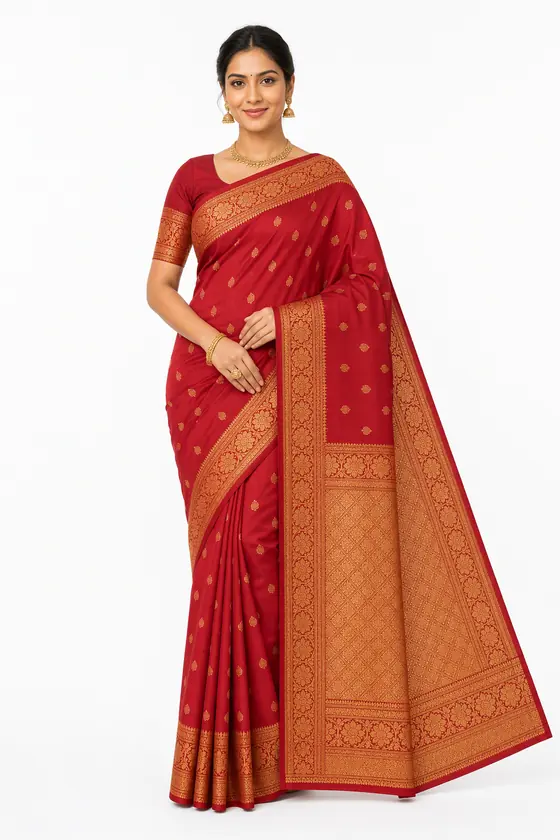
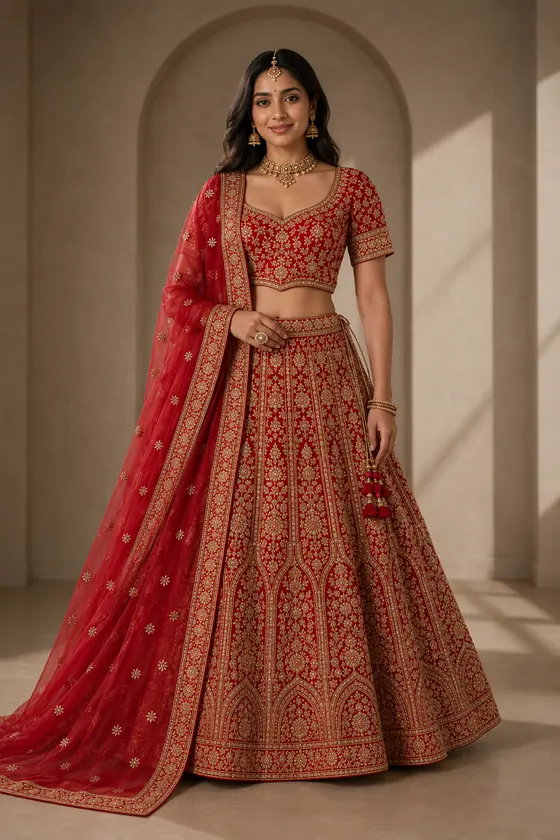
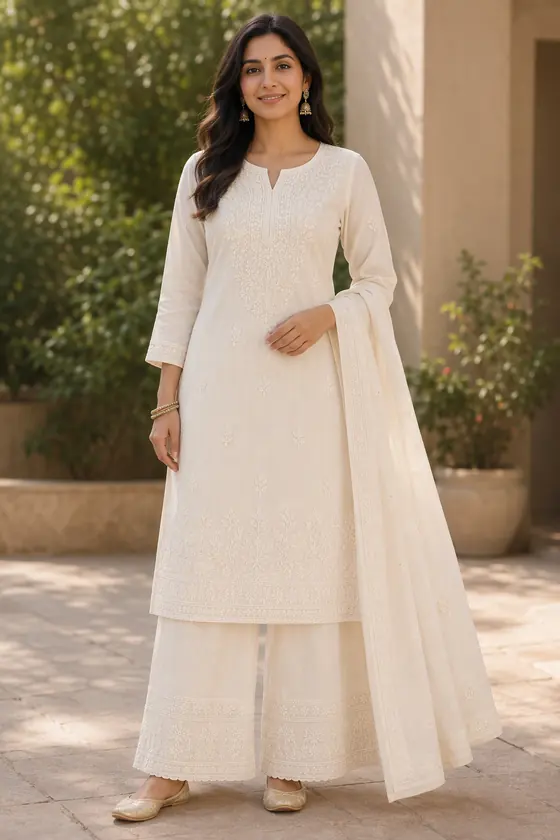
Same garment, three looks
Each row starts from one flat-lay photo (left) and shows the three looks made from it.
Prints, embroidery and a matching set shown the same way on every design.
Chikankari kurta set
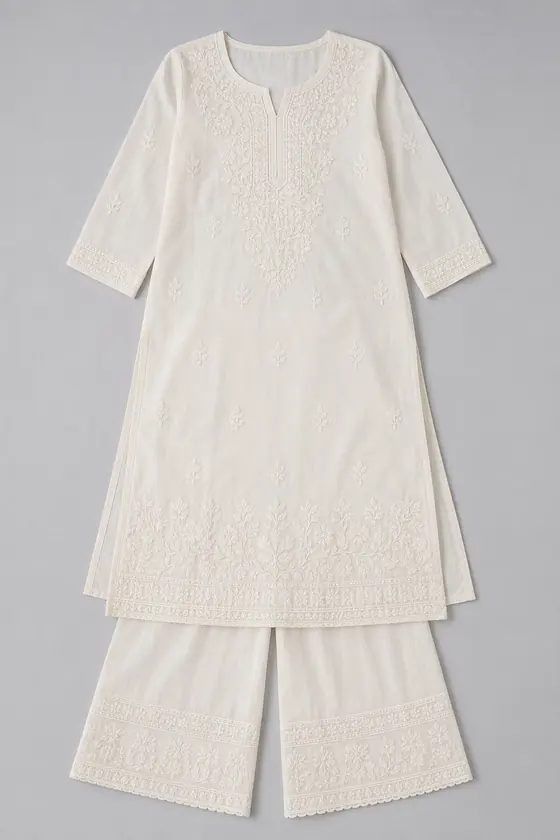
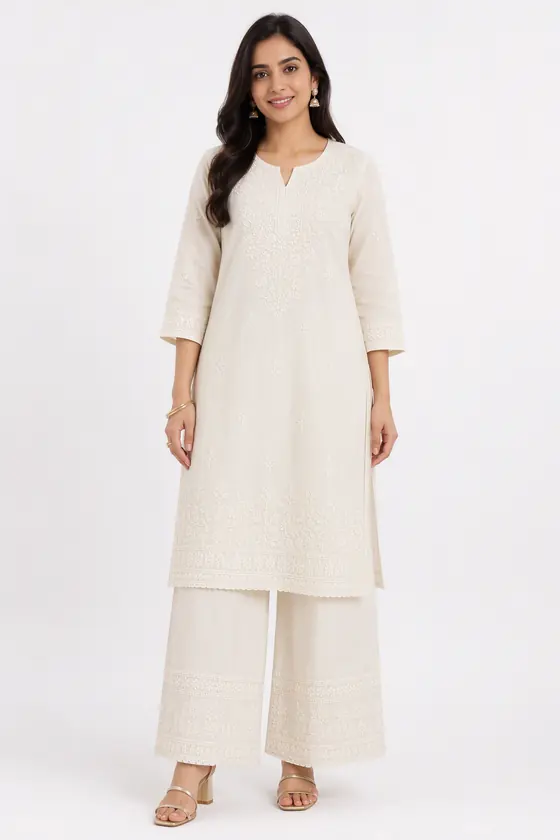
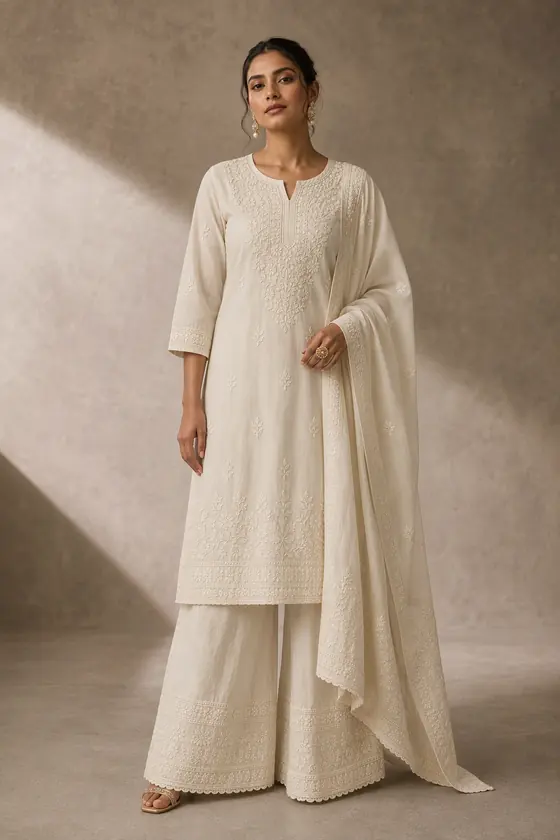
Samples were made in our own tests from digitally created garment images, with AI-generated models. Results on your real garments will vary, so check each image before listing.
How it works
Step 1
Upload your garment
A flat-lay or hanger photo on a plain surface. Full garment in frame, no folds hiding the print.
Step 2
Pick the model and the scene
White studio for the main listing image, outdoor or editorial for the rest of the set.
Step 3
Download and list
Photos sized for Meesho, Myntra, Amazon and Flipkart listings. Check each one against your garment first.
Simple credit packs
Each photo costs 2 credits. Buy once, no monthly plan.
Packs load when you open this page online.
Credits are shared with MeeShip Studio. See each pack's validity at checkout.
Questions
Do I need a photographer, studio or model?
No. You upload a photo of the garment and the AI shows it worn by a model in the scene you pick. The models are AI-generated, not real people.
Will the print and embroidery stay the same?
The tool is told to keep colours, prints, borders and shape exactly as in your photo. In our tests it usually does, but AI can still add or drop small details, so compare every image with the real garment before you list it.
How long does one image take?
About 30 to 40 seconds per image in our tests. A busy period can be slower.
Which marketplaces can I use the images on?
The images are standard portrait photos you can upload to Meesho, Myntra, Amazon, Flipkart or your own store. Each marketplace has its own image rules, so check the current ones before you upload.
Is it free to try?
Yes. Sign in and you get free credits, enough for a first photo. After that you buy credit packs, with no monthly plan.
What if a photo cannot be made?
Credits for any photo that is not delivered are refunded to your balance automatically.